GitHub Star
-- downloads

DSH Next

Official DSH, enhanced. With the hidden features unlocked.

DSH Next is an enhanced edition built on top of official DSH. Alongside our own enhancements, it turns on capabilities the official build keeps hidden, such as Computer Use. Open source and compatible with the DeepSeek Harness plugin ecosystem.

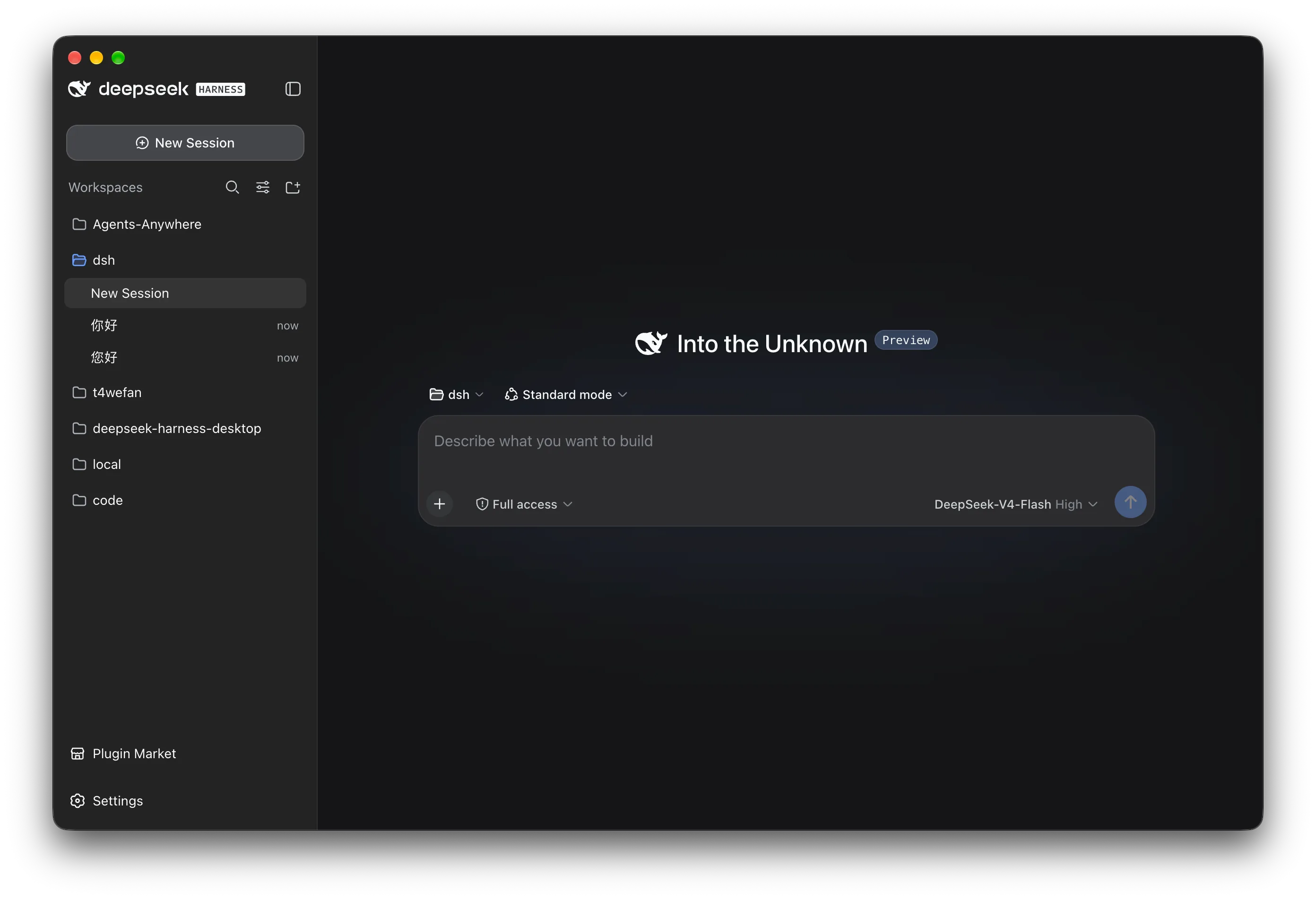
DSH Desktop interface

Chosen by more.

The DeepSeek Harness you know, now on your desktop. Ready to use. Open by design.

Downloads
—

* Includes website and GitHub Release downloads.

DSH, true to its roots.*

Everything is a plugin. Even the desktop.

* The desktop experience itself runs as a plugin. Built on the same Cordis plugin system as DeepSeek Harness, desktop capabilities fit right in. The upstream core stays unchanged.

Explore the desktop architecture

Just click.

And you're on your way.

No command line. No separate Node.js setup. Handle everyday tasks through the graphical interface. Prefer the command line? Open the DSH terminal in Desktop settings and work your way.

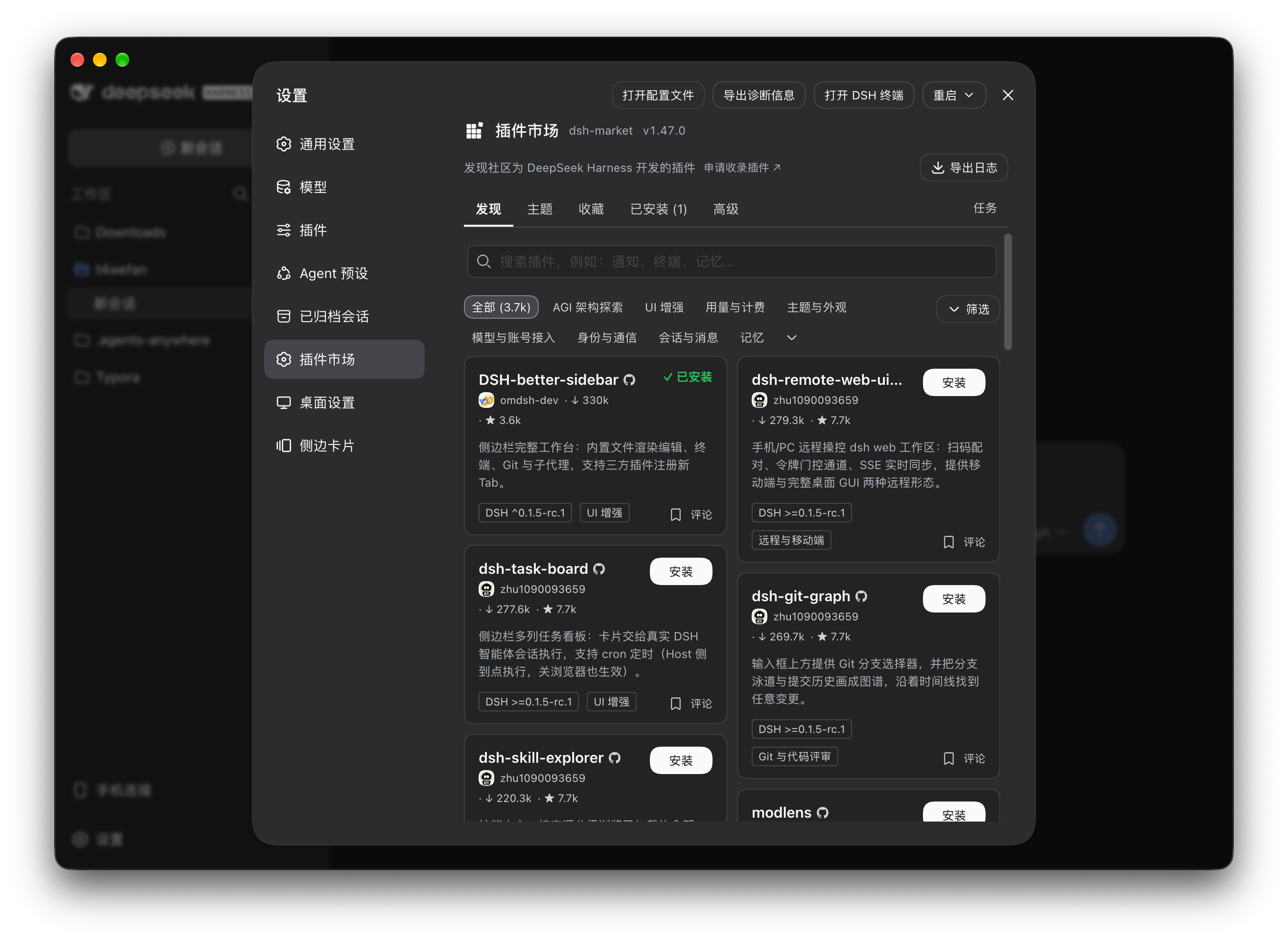
Find plugins. Install them. All here.

Open the plugin market, search for what you need and install it. Choose from built-in data sources or add your own to extend DSH your way. Explore the plugin market

Open Plugin market in Desktop settings to enable it.

We also partner with dsh-market, a popular community plugin market, to bring more plugins within reach.

Plugin market window

Explore boldly. We’ve got your back.

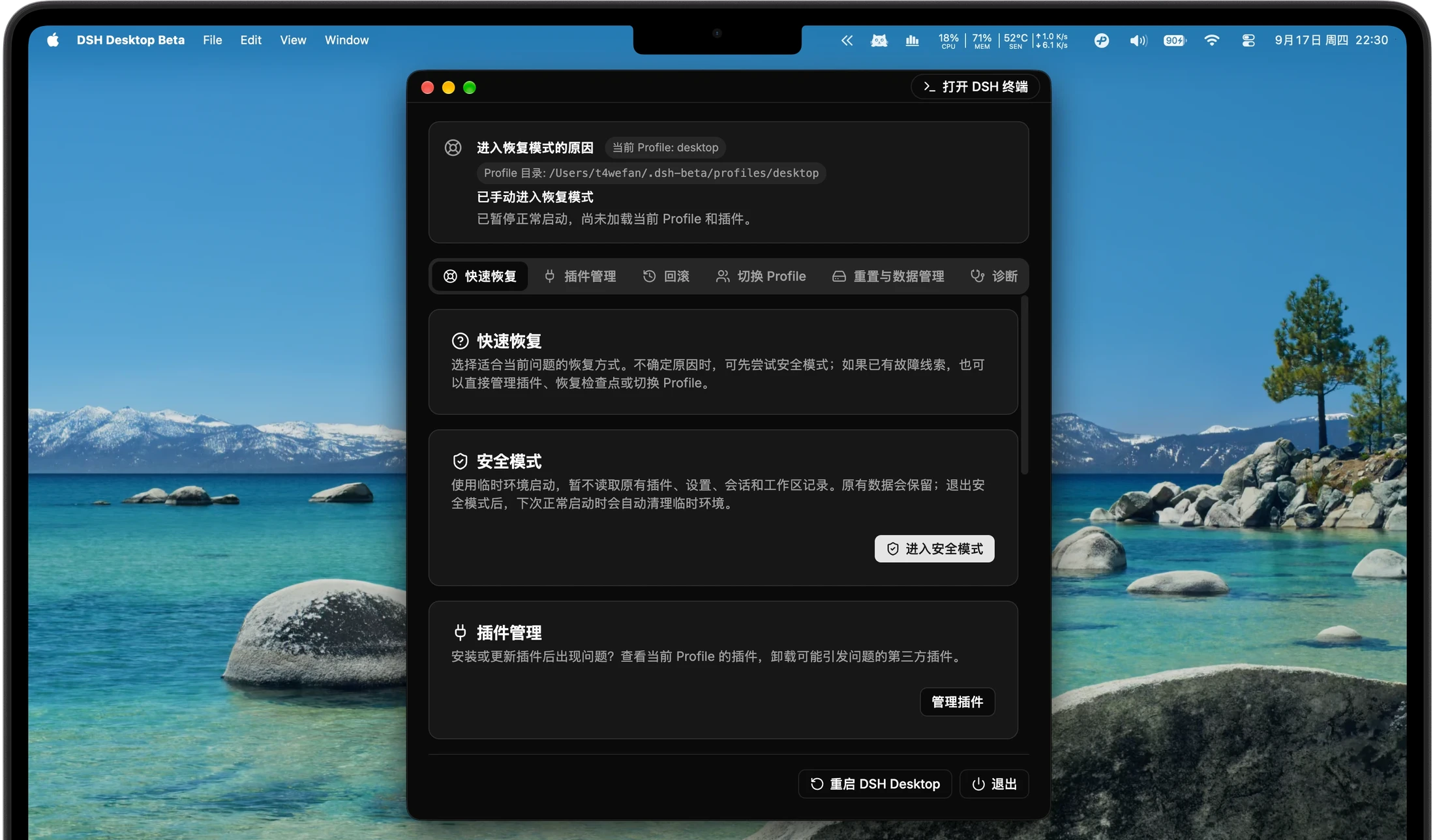
New plugins bring new possibilities, and sometimes compatibility issues. Even if DSH cannot start normally, recovery mode lets you manage plugins, roll back or switch profiles to find a way forward.

Explore recovery mode
Recovery mode interface

Stuck? Someone can help.

Share your question. Work through it with developers and people in the community.

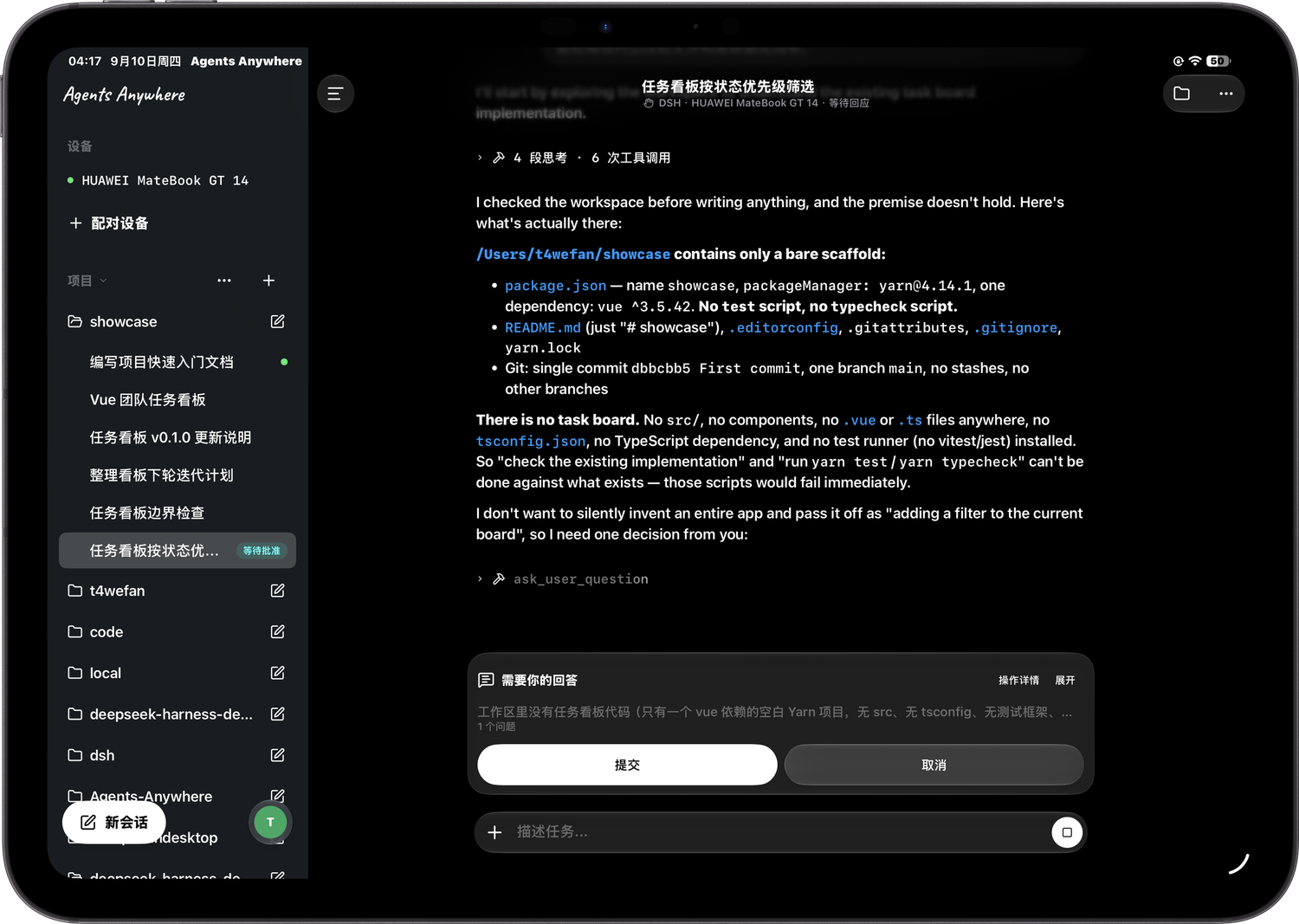
Away from your desk.Still right there.

Powered byAgents Anywhere

Turn on remote control in DSH Desktop and connect through Agents Anywhere. Check progress, continue conversations and use your DeepSeek Harness wherever you are.

Connect from your tablet or phone.

And more agents.

Beyond DeepSeek Harness. Bring Codex and Claude Code along, too.

DeepSeek HarnessCodexClaude Code

These are the basics.

Appearance

A look that feels like you.

  1. Open Desktop settings and choose Compatibility, Extended or Enhanced under Window mode.
  2. Choose glass or an opaque background under Window material. Restart to apply the new look.

Three window modes, each with its own layout and controls. Choose glass or an opaque background to make the desktop feel right.

* Available window modes and materials depend on your operating system.

Desktop notifications

A result. A notification.

  1. Open Desktop settings. Under Desktop notifications, turn on Enable Desktop notifications.
  2. When a task finishes or fails, check the system notification, then return to DSH for details.

No need to watch the window. Get a system notification when a task finishes or fails. Conversation content stays out of notifications; open DSH for the details.

Browser access

Open a browser. You're in.

  1. Select Compatibility mode in Desktop settings. Under Browser and local network, allow browser access and open the address shown.
  2. For another device, enable local-network access, then open the provided HTTPS address on a device connected to the same network.

Use DSH in your local browser or from another device on the same network. HTTPS encrypts the connection. Share access links only with people you trust.

Profiles & data directories

Switch in a few clicks.

  1. Open Desktop settings and select the profile you want to use.
  2. To change where your data is stored, switch the data directory in settings.

Switch profiles and data directories through the graphical interface. No complicated setup or commands to remember. Choose what you need and make the change in a few clicks.

More features coming soon.

Tell us what you have in mind.

A feature you'd love. An experience that could be better. A new way of working. Open an issue on GitHub or join the conversation. Your idea could be what's next for DSH.

Share an idea

Want DSH to work for your business?

Private deployment, custom development or another opportunity to work together. Let's talk.

Tailored for your business