One workspace for your AI agents
Your agents.Beyond the desktop.
Connect Codex, Claude Code, or DeepSeek Harness on your computer. Check progress, continue conversations, and respond on desktop, mobile, or web.
Free to tryOpen source
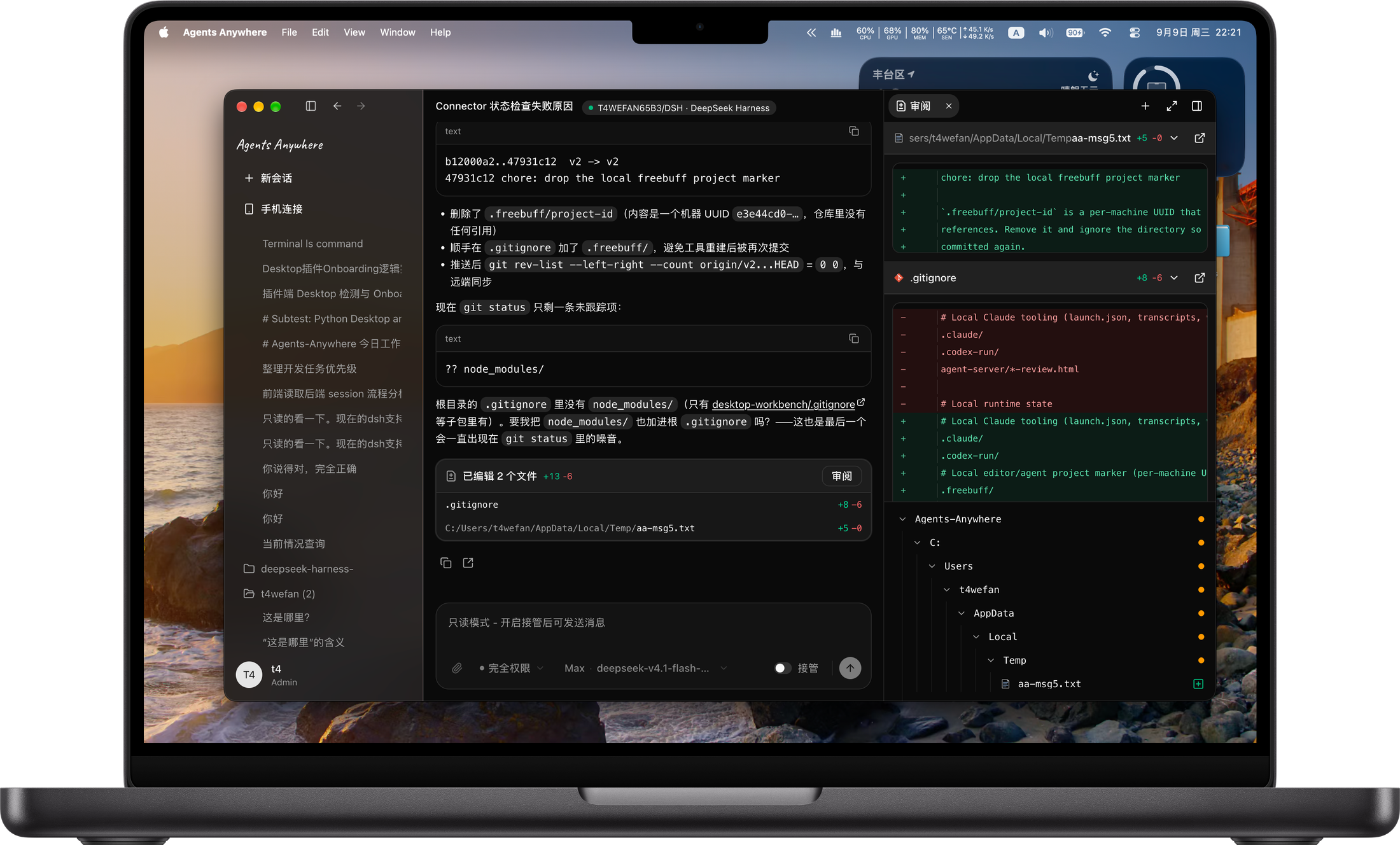
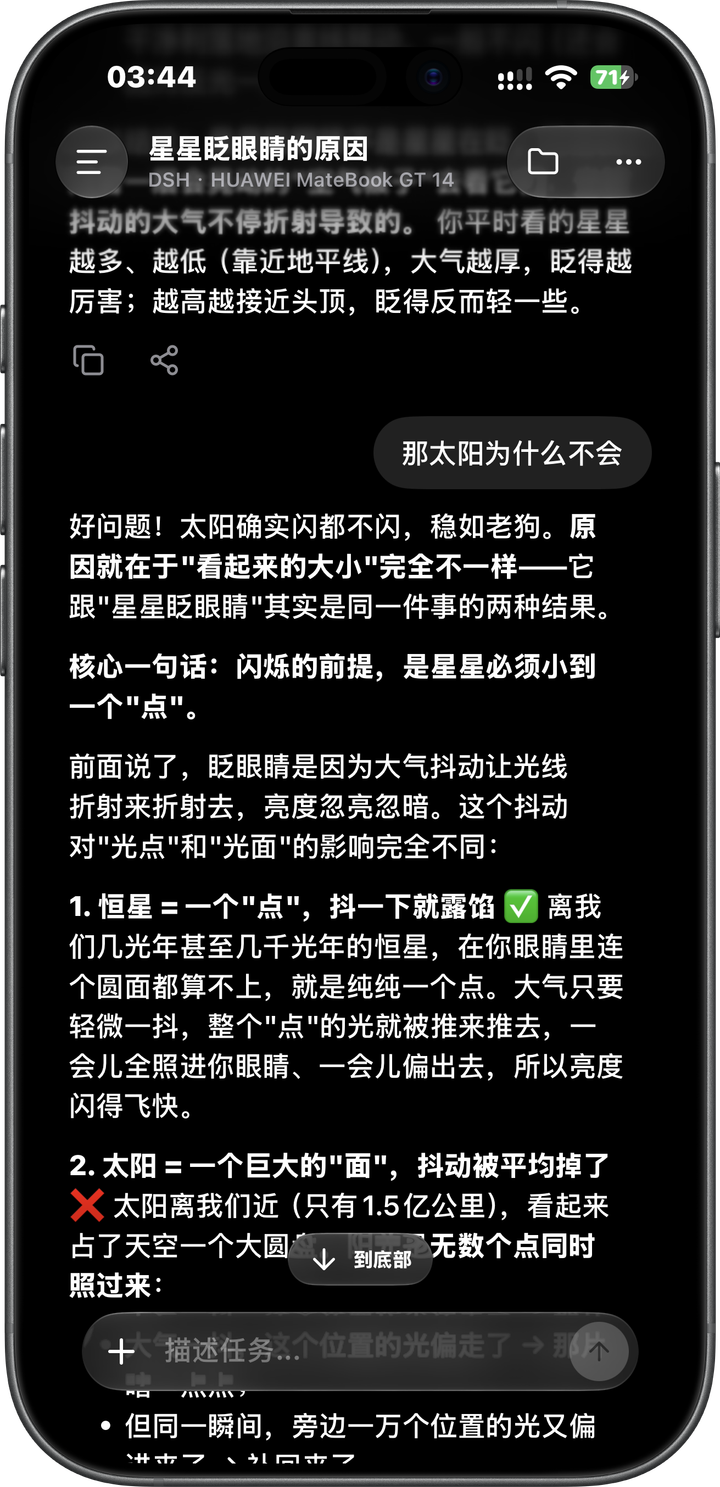
Familiar agents. A shared workspace.
 Codex
Codex Claude Code
 DeepSeek Harness
More agents coming soon
Multiple projects.One workspace.
Manage projects and sessions across your connected devices. Follow progress, respond to requests, and review files and code changes.
A clear view of every session.
View session status, task progress, and pending requests as you switch between projects.
Devices, projects, and sessions in one place.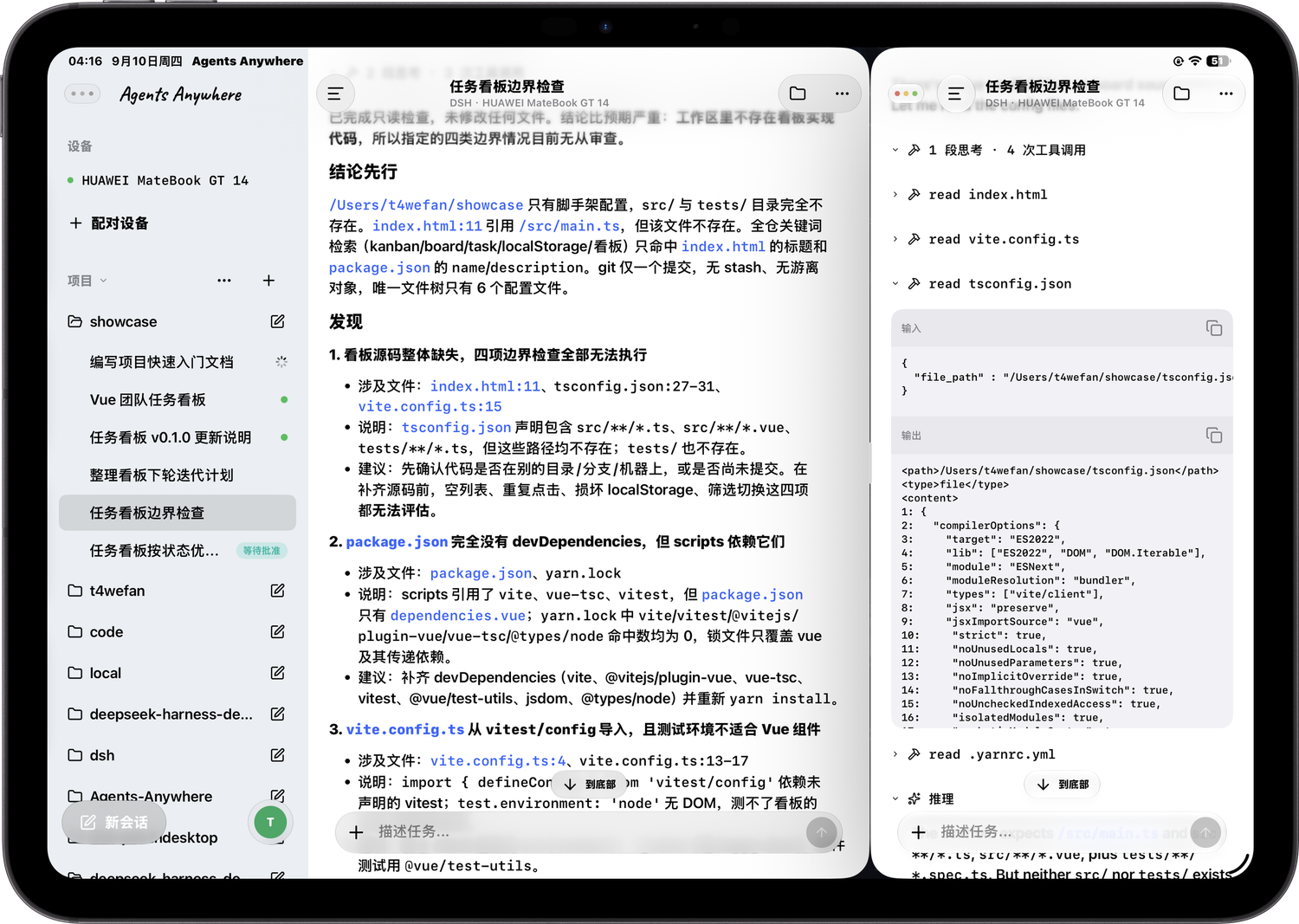
Switch devices.Continue your work.
Sign in to the same service and account on your phone or tablet. Open a session to check progress or continue the conversation. Your phone provides the controls. Your work device runs the task.
Get the mobile appiPhone · iPad · Android- Continue in the same session
- Switch between connected computers and servers
- Browse workspace files and open a remote terminal
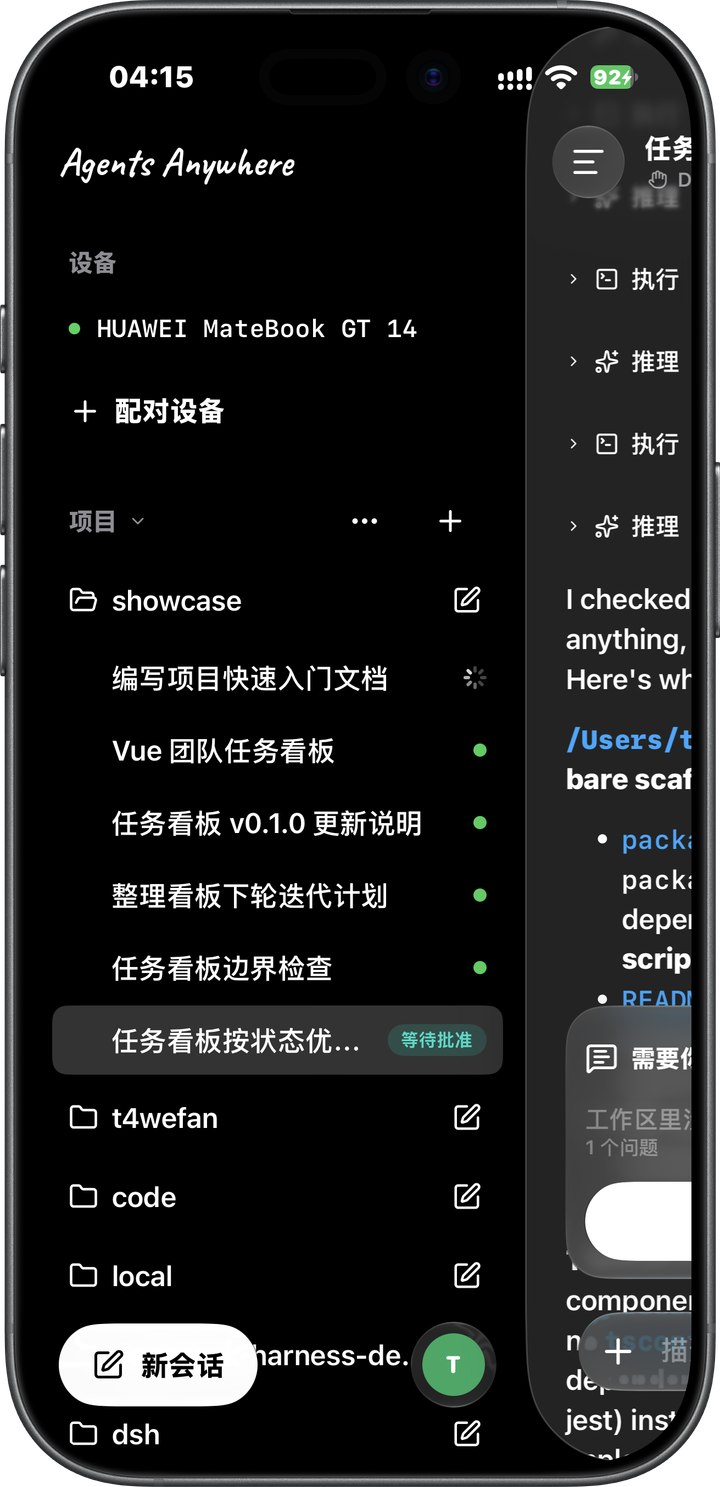
Your devices.Your familiar environment.
Tasks run on your connected computer or server, using its projects, files, and agent environment.
View source on GitHub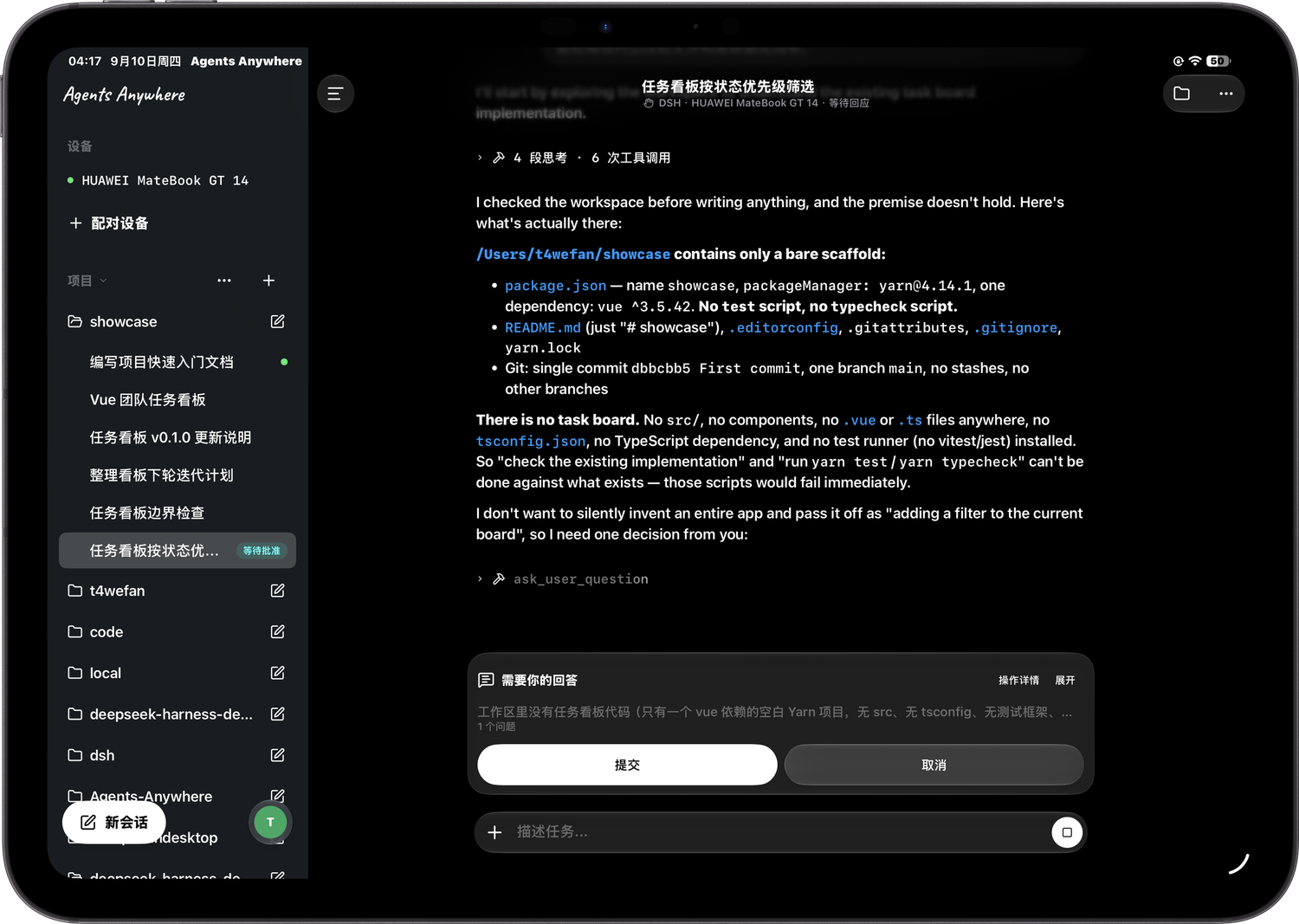
Runs on your machines
Your computer, remote server, or cloud dev environment. Work runs on the device you connect.
Use your existing accounts
Keep the agents and model accounts on your work device. Model usage is billed under the terms of the tools you use.
Open source. Self-hostable.
Connect to the hosted service or deploy your own Agents Anywhere server with Docker.
Connect a device. Start a session.
Configure your work device and agent. Access the same session on desktop, mobile, and web.
Connect your work device
Install the desktop app on your computer and sign in. Use Connector for Linux or servers without a graphical interface.
Set up an agent and project
Configure your agent account and working directory. Create a session and send your first task.
Continue on another device
Sign in to the same service and account on mobile, tablet, or web. Open a session on your connected device.
Frequently asked questions
Is this a new AI agent?
It’s a workspace for managing and remotely using existing agents. Connect Codex, Claude Code, or DeepSeek Harness to view sessions, continue conversations, and work with files and terminals.
Where does the work run when I leave my desk?
Tasks run on the connected work device. For remote access, keep that device on, online, and running its Connector (device connection service) and the agent. Your phone provides the controls; your work device runs the task.
Can I use desktop and mobile together?
Yes. Sign in to the same service and account to access your devices and sessions across clients. Start on your computer, then check progress, continue conversations, or respond to requests from your phone.
Do I need another model subscription?
The workspace uses the agent runtimes and sign-in state already on your work devices. Model usage and costs remain subject to the accounts and subscription terms of the tools you use.
Can I host it myself?
Yes. The project is open source and includes Docker deployment support. Run the service on your own infrastructure, then connect desktop and mobile clients. See the GitHub documentation for setup instructions.
More features coming soon.
Tell us what you have in mind.
A feature you'd love. An experience that could be better. A new way of working. Open an issue on GitHub or join the conversation. Your idea could be what's next for Agents Anywhere.
Want Agents Anywhere to work for your business?
Private deployment, custom development or another opportunity to work together. Let's talk.
Tailored for your business